

Durable Heated Boots With GPS: 7 Features That Matter
Table of Contents
- What Makes Durable Heated Boots With GPS Worth Considering
- Feature Comparison: What to Look For in Heated Boots With GPS
- How Heated Boots With App Control Work
- GPS Tracking Boots for Hikers and Backcountry Terrain
- Boots With Live Location Tracking for Crews and Remote Work
- Heated Boots With Route Recording and Route History
- Durability, Waterproofing, and Cold-Weather Construction
- Choosing the Right Heated Boot for Your Conditions
- Frequently Asked Questions
Last Updated: October 16, 2026
What Makes Durable Heated Boots With GPS Worth Considering
Durable heated boots with GPS combine two capabilities that used to live in separate products: warmth you can control and a location record you can review.
Cold feet cut days short and make long industrial shifts miserable, and ordinary winter boots and unheated safety boots are not designed to hold warmth through extreme temperatures or multi-day trips.
Below, we break down the seven features that matter when you compare options, from heat distribution and battery design to GPS privacy and durability.
Feature Comparison: What to Look For in Heated Boots With GPS
A useful comparison starts with capability, not marketing. Decide which of these seven features your conditions genuinely require. Hunters and hikers usually weight GPS and insulation highest.
| Feature | What It Does | Why It Matters | Who Needs It Most |
|---|---|---|---|
| Dual-control heating | Adjust warmth on the boot or in the app | Control without removing gloves | Everyone in extreme cold |
| Climate regulation | Sensors adjust heat as ambient temperature shifts | Holds comfort, protects battery | Long shifts, multi-day trips |
| App and Bluetooth control | Smartphone control of heat settings | Fine adjustment in the field | App-comfortable users |
| GPS and location tracking | Live location, route recording, history | Keeps you found and traceable | Backcountry, remote crews |
| Waterproof construction | Shell, insulation and outsole | Snow, slush and mud protection | All winter use |
Notice what is missing from that table: blanket claims. A boot with GPS and heating is only as good as the weakest of these seven, so compare them together.
How Heated Boots With App Control Work
Heated boots with app control pair a heating element in the boot with a wireless connection to your phone, so you set heat levels without removing gloves.
A rechargeable battery powers a heating element, an on-board controller manages the heat settings, and secure custom Bluetooth links the boot to the wearer's phone. The app becomes the remote control, which matters because unlacing a boot in deep snow to change a setting is exactly the kind of small friction that ruins a cold day.
Dual-Control Heating: On the Boot or Through the App
Dual-control heating means the wearer can adjust warmth directly on the boot or remotely through the app. Both paths exist because conditions change: you might set a heat level at the truck and raise it from your phone when the wind picks up two hours into a shift.
Automated Climate Regulation and Battery Protection
Automated climate regulation uses on-board sensors to raise and lower heat as the ambient temperature changes. The goal is twofold: hold comfort as conditions shift, and protect battery life by not running at full draw when the air is already mild.
GPS Tracking Boots for Hikers and Backcountry Terrain
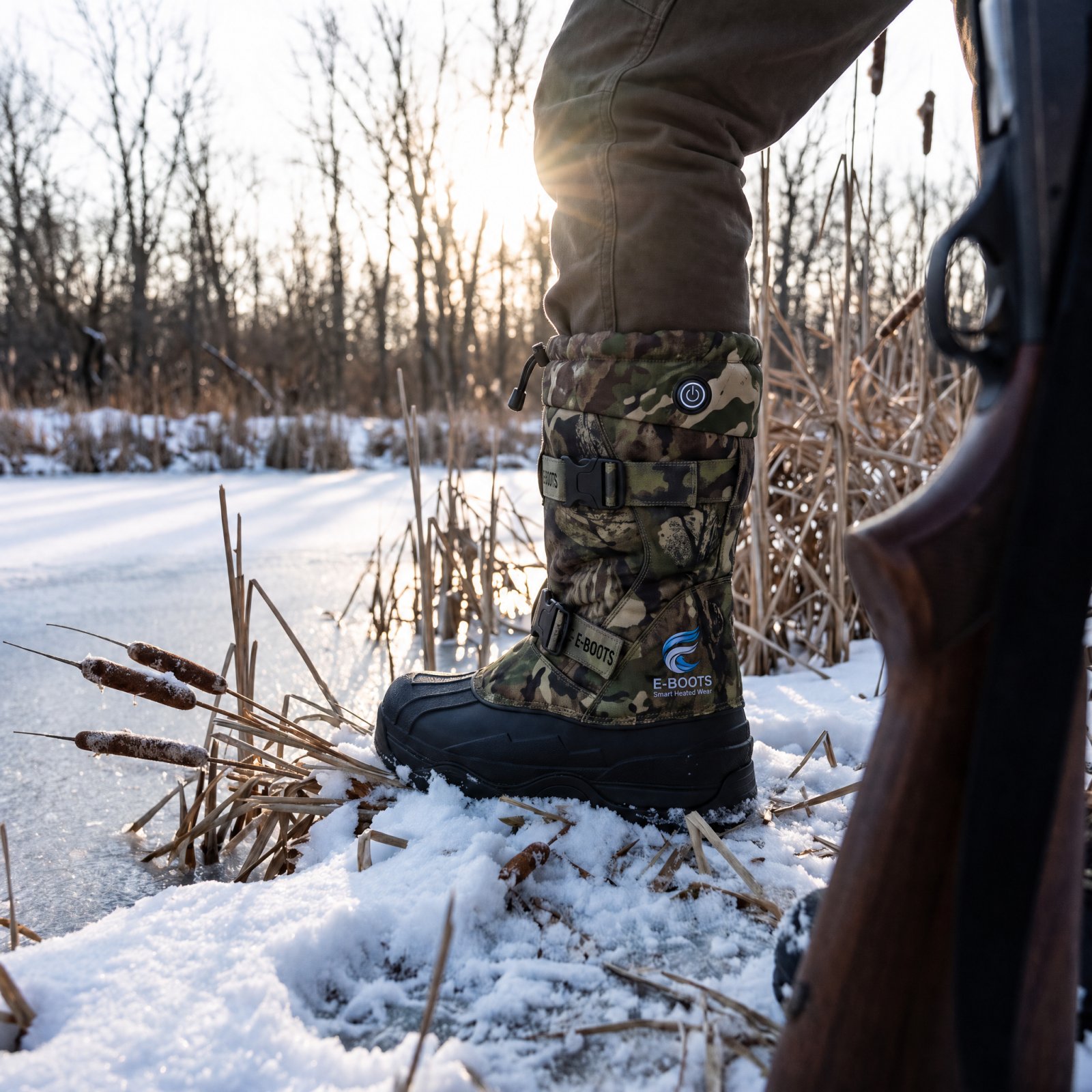
GPS tracking boots for hikers are boots with location features built into the same platform as the heating, so the wearer can view their position, record a route, and review where they have been.
How the Location Layer Actually Works
A boot does not carry its own satellite link. The GPS receiver in the boot's platform reads signals from positioning satellites, the boot passes that position to the paired phone over secure custom Bluetooth, and the app draws it on a map. The phone is the screen, the storage and the uplink, and every link in that chain can fail.
Three practical variables decide how useful the feature is on a given day:
- Update frequency. A position feed can refresh continuously or at intervals. Continuous refresh gives a smoother track but draws more power. Interval refresh stretches battery life but can round off switchbacks.
- Coverage. Satellite positioning works in far more places than cell service does, which is why a recorded track can keep building in a valley with no bars. What stops working without cell service is live sharing, because there is no network to carry your position to anyone else.
- Battery impact. Location, Bluetooth and heating all draw from the same platform. Running all three at full tilt shortens a day, which is why ambient-sensor climate regulation and interval-based position updates matter more in the backcountry than on a jobsite.
What Happens When Connectivity Drops
When cell service disappears, the boot and phone can usually keep recording a route locally, because satellite positioning does not need a network. What stops is live location sharing, meaning nobody back home can see where you are in real time. When you return to coverage, the recorded track can sync and the route history fills in.
Privacy and Consent in the Backcountry
For a solo hiker, the location data belongs to the wearer. You can view your own position, recorded routes and history, and you decide whether anyone else sees them. Sharing a live feed with a partner or family member is a choice you make per trip rather than a setting that is always on.
A few habits keep that clean:
- Decide before you leave whether you are sharing live location or only recording for yourself.
- Tell the person watching what the feed can and cannot show, so a dropped signal is not mistaken for an emergency.
- Review route history after the trip while details are fresh.
What Route History Is Actually For
Live location answers where am I now. Route recording captures the path. Route history keeps it. The last of those is the one hikers underuse. Reviewing where you actually went, rather than where you meant to go, shows you where you lost time, where terrain forced a detour, and which approach worked better than planned.
Boots With Live Location Tracking for Crews and Remote Work
Boots with live location tracking answer a crew-level question: where is everyone right now?
This is where the industrial audience and the outdoor audience diverge. A hiker chooses their own route and wants a record for themselves.
Privacy is a fair concern. The wearer can view their own location data, and monitoring by an administrator is optional rather than automatic.
Heated Boots With Route Recording and Route History
Heated boots with route recording store the path a wearer travels, and route history keeps that record available to review later.
The practical uses vary by audience. A mountaineer reviews a route to plan the next attempt or see where time was lost. A search and rescue team can use a recorded path to understand where a person has already been searched.
Durability, Waterproofing, and Cold-Weather Construction
Durability in a heated boot is not one property. It is a set of construction decisions that decide whether the boot survives a season of frozen ground, slush and repeated flexing, and whether the electronics inside it survive alongside the leather and rubber.
The Shell: Where Water Gets In First
A winter boot that carries electronics has to keep water away from two things at once, the foot and the internal components. Water almost never enters through the middle of a panel. It enters at the seams, the tongue gusset, the collar and the welt where the upper meets the sole. Construction details matter more than a single waterproof label.
What to look for:
- Sealed or taped seams rather than stitched seams left open, since every stitch line is a potential wicking path.
- A gusseted tongue that connects to the upper so snow and slush cannot slide down into the boot.
- A tall protective collar shaped to shield the lower leg, which matters when you are breaking trail or stepping through slush.
Insulation: A Supplement, Not a Substitute
Insulation in a heated boot is designed to hold warmth in, not to generate it. The heating element does the generating. Insulation slows heat loss, and the heating platform adds warmth on top of it. A boot with good insulation and a working heat platform behaves very differently from a boot with one and not the other, and neither substitutes for the other.
The Outsole: Where Wear Shows First
On a jobsite or a trail, the outsole is the part that touches everything. Aggressive lug patterns are built for grip on snow, ice, mud and loose rock. The right outsole depends on whether the boot spends its life on a frozen jobsite or a wet trail.
Protecting the Electronics
The heating element, the battery and the controller are the parts a conventional boot does not have to worry about. In a well-built heated boot, they sit in protected positions rather than loose in a cavity, so water, impact and repeated flexing do not reach them. Questions worth asking when you compare options:
Fit, Straps and the Parts That Wear Out
Fit is a durability issue, not just a comfort one. Tall protective designs are shaped to shield the lower leg from snow and slush, and dual adjustable straps create a secure fit over layers.
The parts that typically need attention over a boot's life are the laces, the footbed, the straps and, on some designs, the battery.
What We Can and Cannot Say Yet
E-BOOTS™ is pre-launch, so we are not going to hand you a field verdict we have not earned. What we can tell you is how our boots are designed. The SummitGuard is our all-weather smart hiking boot, the Arctic Sentinel is our extreme-cold winter boot offered in two colourways, and the ForgeTherm Pro and Ironclad WorkOne carry the work and safety line with a lightweight composite protective toe.
Choosing the Right Heated Boot for Your Conditions
Match the boot to the day you actually have, not the day you imagine. A few practical rules narrow the field fast.
- Working long industrial shifts in freezing temperatures: prioritize protective toe design, dual-control heating, and fit over layers.
- Hunting or fishing in harsh cold: weight insulation, waterproofing, and quiet, stable footing.
- Serious winter hiking or mountaineering: weight GPS features, aggressive outsoles, and low weight on technical terrain.
Heated boots with GPS earn their place when cold and distance genuinely shape your day.
E-BOOTS™ is pre-launch, so we are not going to hand you a field verdict we have not earned. For official guidance on cold-stress risk in outdoor work, NIOSH cold stress resources is a useful reference, and OSHA winter weather guidance covers employer responsibilities in cold conditions.
Winter will not wait for you to find the right boot, and the wrong pair turns a long shift or a backcountry day into a test of endurance.
Frequently Asked Questions
What features should you look for in durable heated boots with GPS?
Prioritize four things: a heating system with adjustable temperature settings, a rechargeable battery designed to support long cold-weather use, GPS features like live location and route recording, and waterproof construction with insulation suited to your conditions. Also check whether the boot offers on-boot and app-based controls, since dual-control heated boots let you adjust warmth without pulling out your phone in freezing temperatures.
How does GPS tracking work in heated hiking boots?
GPS tracking in heated hiking boots works through a secure custom Bluetooth connection between the boot and your smartphone. The boot pairs with a mobile app that shows your live location, records your route, and stores route history. Some platforms also support phone-based geofencing, which alerts you when you move outside a set boundary. The GPS signal comes from your phone, so the boot itself does not transmit location independently.
Can GPS-enabled boots record a hiking route?
Yes. Heated boots with route recording are designed to log your path as you hike, then store that data in the app as route history. You can review where you went, how far you traveled, and retrace the same trail later. This is useful for backcountry trips where trails are unmarked or where you want a record of a scouting route for future hunts or hikes.
Can a safety team monitor a worker's location through GPS footwear?
A company administrator or safety team can optionally monitor location through boots with live location tracking and geofencing. The wearer views their own data in the app, and the employer can be granted access to the same feed. This is designed for crews working alone in remote or sub-zero conditions where knowing someone's position helps reduce risk, though it is not a substitute for emergency response systems.
How do heated boots adjust warmth in changing outdoor temperatures?
Heated boots with app control use automated climate regulation, where on-board sensors raise and lower heat as the ambient temperature changes to hold comfort while protecting battery life. You can also override the automatic setting and adjust heat levels manually on the boot or through the app, depending on what the conditions call for.


